
Transferring a user’s responsibilities
When someone leaves the organisation or changes position, their folders, meetings and actions must go to someone else. As an administrator, you make this transfer in a single operation from the user’s card: the folders and meetings they pilot or copilot, and the actions they are responsible for, are handed over to the person you choose. The transferred user remains a simple participant of their folders and meetings.
Before you start
- You must be an administrator of the Perfony instance.
- The new person in charge must be an active user. To receive folders or meetings, they need a Pilot licence.
Opening the transfer
- In the Users menu, open the card of the user who is giving up their responsibilities.
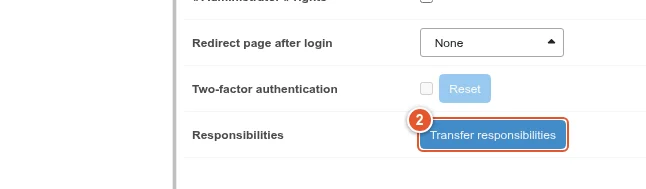
- At the bottom of the Information tab, on the Responsibilities line, click Transfer responsibilities.
Choosing the new person in charge and what is transferred
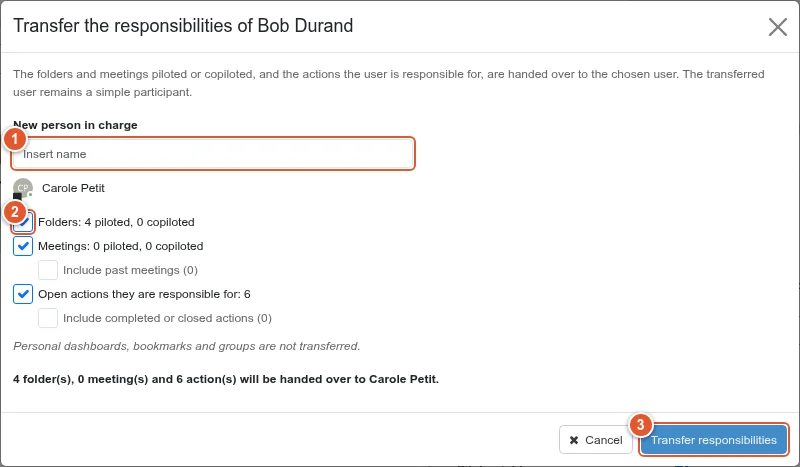
- Type the name of the new person in charge and pick them from the list.
- Check the categories to transfer: folders, meetings, actions. The window shows the numbers involved. Past meetings and completed or closed actions are not transferred unless you tick the corresponding options.
- Click Transfer responsibilities.
The summary
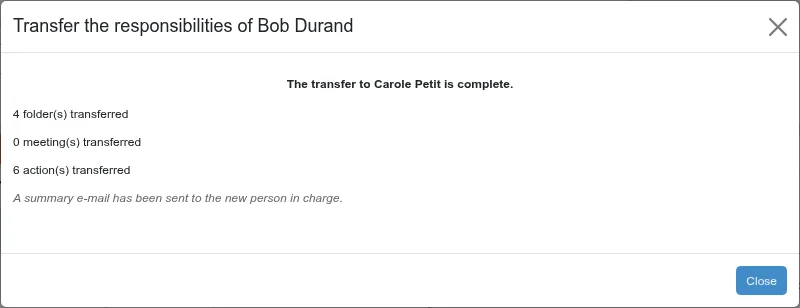
Once the transfer is complete, the window shows how many folders, meetings and actions were transferred. The new person in charge receives a single summary e-mail.
Good to know
- The new person in charge is added to the folders and meetings where they were missing. Meetings synchronised with a folder follow the folder.
- Every change is recorded in the History tab of both user cards.
- Personal dashboards, bookmarks and groups are not transferred.
- The button does not appear on your own card.