
RACI matrix: Download several formats (XLS, DOC, PPT, PDF)
A RACI matrix assigns roles on every task of a project: Responsible (the person who does the work), Accountable (the person who approves it), Consulted (whose opinion is sought) and Informed (who is kept up to date). Perfony offers four free RACI templates: Excel (with automatic role checks), Word, PDF and PowerPoint. Every task needs exactly one Accountable and at least one Responsible: that rule is what holds the matrix together.
Download your RACI matrix
All four templates use the same grid: project tasks in rows, stakeholders in columns, and one letter at each intersection, R, A, C or I. The Word and PowerPoint templates hold ten tasks and fifteen stakeholders, the Excel template fifteen stakeholders. Please note that the templates are in French. The four letters are the same in both languages, so the grid works as it is: R for Réalisateur (Responsible), A for Approbateur (Accountable), C for Consulté (Consulted) and I for Informé (Informed).
The RACI matrix in Excel
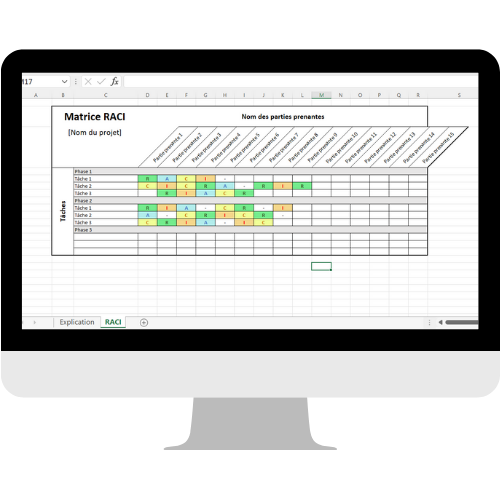
The most complete template. It has three sheets: an explanation sheet, the matrix itself and a reference sheet. You pick each stakeholder's role from a drop-down list, you can group tasks by phase, and two columns on the right check automatically that each task follows the Accountable and Responsible rules. The workbook also offers the S role (Support) of the RASCI variant, which you can ignore if you work with a plain RACI.
The RACI matrix in PDF
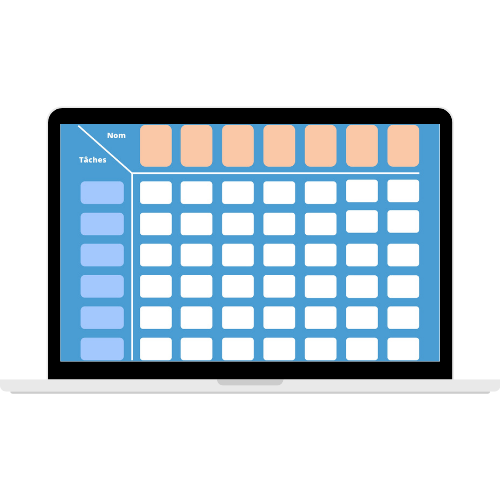
The PDF is made to be printed and filled in by hand, for example during a kick-off workshop where the team assigns roles around a table. You can also fill it in with a PDF reader that supports annotations.
The RACI matrix in Word
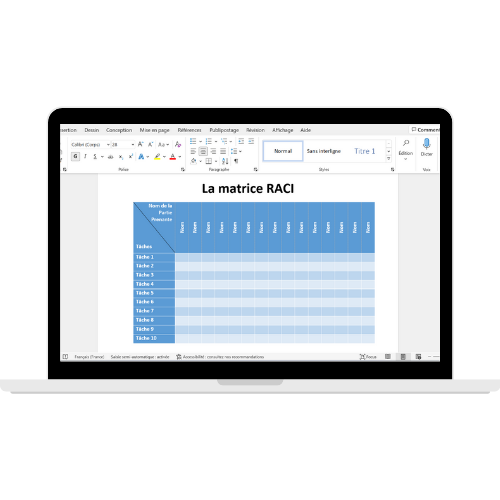
The Word template suits a matrix that belongs in a longer document: a project brief, a project plan or a governance charter. The table is ready, with instructions and the meaning of each letter below the grid.
The RACI matrix in PowerPoint
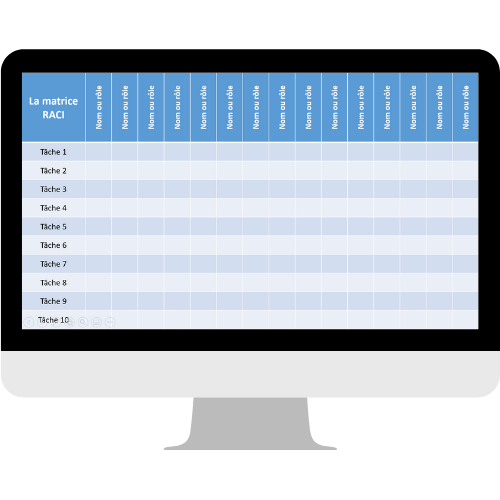
To present the split of roles at a kick-off meeting or a steering committee, the PowerPoint template fits on a single slide that you copy into your presentation. The filling steps are included in the file.
Get the templates
Which format should you choose?
| Format | Most useful for | Strength | Limit |
|---|---|---|---|
| Excel | Building and updating a project's matrix | Drop-down roles, automatic checks on A and R | A file to keep up to date and send round at every version |
| A paper workshop | Printable, filled in as a team | Has to be typed up afterwards | |
| Word | A project brief | Fits into a longer document | No rule checks |
| PowerPoint | A kick-off meeting | One slide, ready to present | Made to show, not to track |
A common approach: build the matrix in Excel, where the checks prevent omissions, then present it in PowerPoint to the team and the sponsors.
How to use the RACI templates
All four templates are filled in the same order. If you are unsure what a letter means, the guide to the RACI matrix explains each role in detail.
In Excel
- Read the explanation sheet, then open the matrix sheet and give the project a name.
- List the tasks in the left-hand column, grouped by phase if the project has several.
- List the stakeholders in the top row: names, or job titles if the people are not known yet.
- At each intersection, pick the role from the drop-down list.
- Look at the two check columns on the right: they show whether each task follows the Accountable and Responsible rules.
In Word and PDF
Enter the tasks in the left-hand column and the stakeholders in the top row, then write one letter at each intersection: R for the Responsible person, A for the Accountable, C for the Consulted, I for the Informed. A box can stay empty if the person has no part in the task. On paper, use a pencil: the first version of a RACI matrix is rarely the final one.
In PowerPoint
Right-click the slide in the left-hand panel, copy it, then paste it into your presentation. Then fill in the table as in Word. For a presentation, keep to top-level tasks: the detail stays in the Excel file.
Example: a completed RACI matrix
Here, for illustration, is the matrix of a project to roll out a new tracking tool in a customer service department (a fictitious example).
| Task | Head of department | Project manager | IT | Team leaders | Advisers |
|---|---|---|---|---|---|
| Define the need | A | R | C | C | I |
| Choose the tool | A | R | C | C | I |
| Configure the tool | I | A | R | C | |
| Train the teams | I | A | R | I | |
| Measure adoption | A | R | I | C |
Each row has one A and at least one R. The head of department approves what commits the department, the project manager approves what is about execution, and the advisers are informed at the steps that concern them. For a more complex project, a variant may suit you better: RACI, RASCI or RACI-VS compares them.
The best time to fill in the matrix is the start of the project, before the first follow-up meeting: that is when roles are easiest to discuss, with every stakeholder in the room. Review it whenever the scope or the team changes, and at the end of each phase. A matrix that has not changed since the project began probably no longer reflects reality.
Checking your matrix before sharing it
- By row: exactly one A, at least one R. Two As on a task means a decision nobody will really take.
- By row again: too many Cs slow the task down. Consult those whose opinion changes the decision, inform the others.
- By column: someone with Rs everywhere is overloaded. An empty column points to a stakeholder who has no place in the matrix.
- By column again: one Accountable on every row is a bottleneck. Delegate approval of execution tasks.
- Readability: beyond fifteen or so columns, group people by role or split the matrix by work package.
To understand where the tool comes from, read the history of the RACI matrix.
From the matrix to tracked actions
A RACI matrix says who does what. It does not say where each task stands, or whether the Responsible person has been chased. Once the project is under way, the file ages quickly: a new person joins, a task is split, and the shared version is no longer the right one.
In action plan software like Perfony, each action keeps its owner, its contributors, its due date and its progress. The roles agreed in the matrix become tracked actions, reviewed in meetings, with automatic reminders.
In practiceAction plan software with a built-in RACIEvery action has an owner, contributors, a due date and a progress status. Reminders go out automatically. Native RACI, multi-entity consolidation, hosted in France.Discover the softwareFrequently asked questions
How do I download the RACI matrix for free?
Fill in the short form on this page with your name and work email. The links to the four templates (Excel, Word, PDF and PowerPoint) appear straight away. All four are free.
What is the main rule of a RACI matrix?
Every task has exactly one Accountable (A) and at least one Responsible (R). It can have several Consulted and several Informed people.
What is the difference between RACI and RASCI?
RASCI adds the S role, Support, for people who help the Responsible person without owning the task. The Excel template offers this role, which you can ignore for a plain RACI.
Are the RACI templates in English?
The templates are in French. The four letters are the same in both languages (R, A, C, I), so the grid can be used as it is.
How many people should a RACI matrix include?
Beyond fifteen or so columns, the matrix becomes hard to read. Group people by role, or split the matrix by work package or phase.