
How can we help?
Preparing for Meetings with Claude
What is it used for?
The Perfony connector for Claude (claude.ai) lets you ask questions about your projects using everyday language. Claude reads your Perfony data and responds. Version 3.63 adds four new questions:
- “What tasks are behind schedule in the Atlas project?” Claude lists the open tasks whose deadlines have passed, from the most behind schedule to the least behind schedule, along with the person in charge, the number of days behind schedule, and the number of postponements.
- “Prepare for the next Atlas project meeting.” Claude looks up the next meeting and proposes an agenda: items already scheduled, overdue tasks, tasks due before the next meeting, decisions from the previous meeting that have not yet been acted upon, and, for information purposes, tasks that have since been completed.
- “Summarize the decisions from the Atlas project.” Claude reviews the decisions from the meetings over the past six months—or the specified period—and indicates for each one whether an action has been taken to implement it: no action, in progress, or completed.
- “Which items in the Atlas project require a decision? ” Claude identifies the items that appear to be awaiting a decision, providing a reason for each one: an action postponed at least three times, more than 30 days overdue, blocked by an overdue sub-action, a question left unanswered in a comment, or an agenda item discussed but no decision reached.”
Subfolders are only included if you specify them (“… and its subfolders”).
Before You Begin
- The connector must be enabled for your company: ask your Perfony contact to enable it. Otherwise, Perfony will display “Connector not enabled.”
- You need a Claude account to add a custom connector.
Connect Perfony to Claude
- In Claude, add a custom connector using the address provided by Perfony.
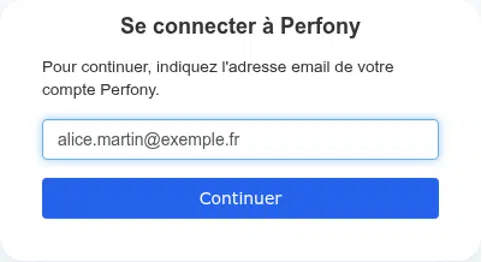
- Claude will open a Perfony page: enter the email address for your Perfony account, then click Continue.
- If multiple Perfony accounts use this email address, choose the one you want to connect.
- Log in with your Perfony password.
- Perfony will ask you to authorize Claude to access your account: click Authorize.
You can then ask your questions in Claude.
Good to Know
- Claude sees only what you see in Perfony: the responses strictly respect your rights.
- Claude will not write the agenda for the meetinguntil you confirm it in the conversation. If you are managing the agenda, items are added; if you are only a participant, they are proposed to the meeting moderator. Existing items are never modified.
- Perfony does not have a “to be decided” marker: the issues to be decided are inferred from the signals above. Check the list before presenting it.
- If a new question is not recognized, remove the connector from Claude and then add it again: Claude will then update the list of possible questions.