
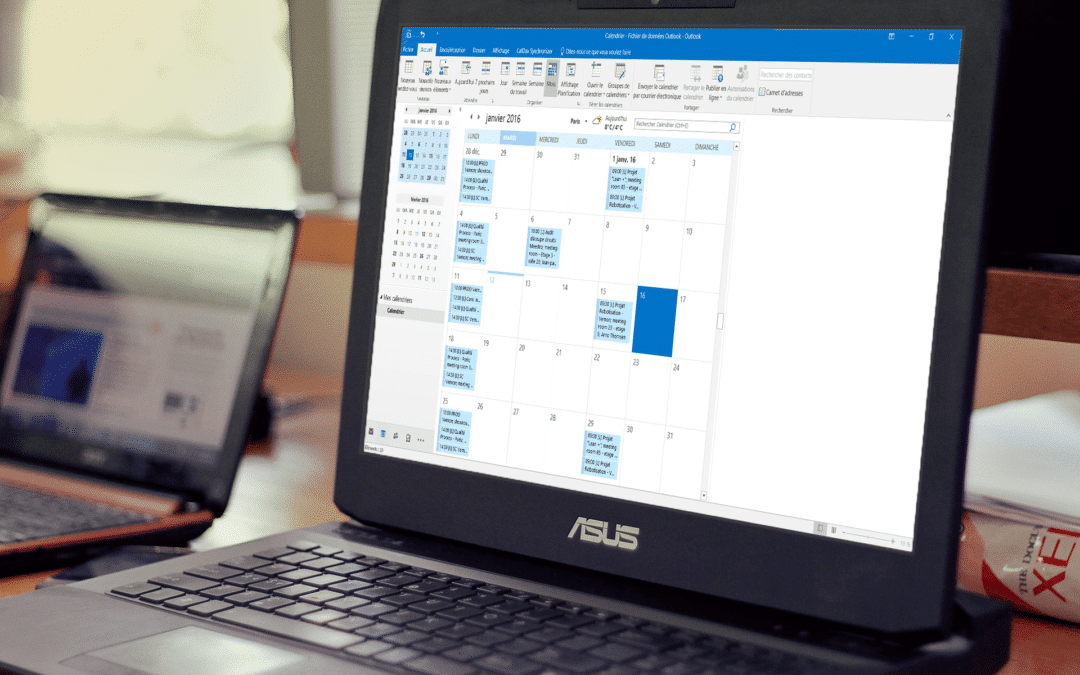
The Outlook calendar is one of the most used calendars in the professional world, and that’s why we propose you to create this link between your Outlook account and your iPerfony account.
This free option is complementary to the smartphone synchronization which you will find the links to the tutorials further down on this page.
The procedure to follow is longer than for smartphones, but is not more complicated when you follow the steps described step by step.

How to synchronize iPerfony with Outlook?
For this synchronization, you will have to download a plugin and set it up. The operation takes only a few minutes and gives you a new view on your schedule at any time.
Download here the : Synchronize Outlook-iPerfony
PS : You want to synchronize your space on iPhone or Android ? Follow the guide, it’s free!
More tips?

[/divienhancer_carouselchild][divienhancer_carouselchild identifier=”Astuce Perfony : comment “copier/coller” des actions ?” _builder_version=”4.6.6″ _module_preset=”default” use_background_color_gradient=”on” width=”100%” max_width=”25%” custom_margin=”0px|18px||0px|false|false” link_option_url=”https://www.perfony.com/fr/astuce-perfony-comment-copier-coller-des-actions/” border_radii=”on|5px|5px|5px|5px” box_shadow_style=”preset2″ box_shadow_horizontal=”10px” box_shadow_vertical=”4px” box_shadow_blur=”4px”]

[/divienhancer_carouselchild][divienhancer_carouselchild identifier=”Astuce Perfony : peut-on réouvrir des actions clôturées ou des dossiers archivés ou supprimés ?” _builder_version=”4.6.6″ _module_preset=”default” use_background_color_gradient=”on” width=”100%” max_width=”25%” custom_margin=”0px|18px||0px|false|false” link_option_url=”https://www.perfony.com/fr/astuce-perfony-peut-on-reouvrir-des-actions-cloturees-ou-des-dossiers-archives-ou-supprimes/” border_radii=”on|5px|5px|5px|5px” box_shadow_style=”preset2″ box_shadow_horizontal=”10px” box_shadow_vertical=”4px” box_shadow_blur=”4px”]

[/divienhancer_carouselchild][divienhancer_carouselchild identifier=”Astuce N°3 : la personnalisation de vos alertes mails Perfony ? C’est possible !” _builder_version=”4.6.6″ _module_preset=”default” use_background_color_gradient=”on” width=”100%” max_width=”25%” custom_margin=”0px|18px||0px|false|false” link_option_url=”https://www.perfony.com/fr/la-personnalisation-de-vos-alertes-mails-perfony-cest-possible/” border_radii=”on|5px|5px|5px|5px” box_shadow_style=”preset2″ box_shadow_horizontal=”10px” box_shadow_vertical=”4px” box_shadow_blur=”4px”]

[/divienhancer_carouselchild][divienhancer_carouselchild identifier=”Astuce N°2 : La couleur de vos dossiers” _builder_version=”4.6.6″ _module_preset=”default” use_background_color_gradient=”on” width=”100%” max_width=”25%” custom_margin=”0px|18px||0px|false|false” link_option_url=”https://www.perfony.com/fr/19196-2/” border_radii=”on|5px|5px|5px|5px” box_shadow_style=”preset2″ box_shadow_horizontal=”10px” box_shadow_vertical=”4px” box_shadow_blur=”4px”]

[/divienhancer_carouselchild][divienhancer_carouselchild identifier=”Astuce N°1 : la %22flèche expand%22″ _builder_version=”4.6.6″ _module_preset=”default” use_background_color_gradient=”on” width=”100%” max_width=”25%” custom_margin=”0px|18px||0px|false|false” link_option_url=”https://www.perfony.com/fr/19117-2/” border_radii=”on|5px|5px|5px|5px” box_shadow_style=”preset2″ box_shadow_horizontal=”10px” box_shadow_vertical=”4px” box_shadow_blur=”4px”]

[/divienhancer_carouselchild][divienhancer_carouselchild identifier=”Astuce Perfony : comment exporter des informations pour les partager” _builder_version=”4.6.6″ _module_preset=”default” use_background_color_gradient=”on” width=”100%” max_width=”25%” custom_margin=”0px|18px||0px|false|false” link_option_url=”https://www.perfony.com/fr/astuce-perfony-comment-exporter-des-informations-pour-les-partager/” border_radii=”on|5px|5px|5px|5px” box_shadow_style=”preset2″ box_shadow_horizontal=”10px” box_shadow_vertical=”4px” box_shadow_blur=”4px”]

[/divienhancer_carouselchild][/divienhancer_carousel]