
How can we help?
Automatic meeting transcription

Automatic meeting transcription
Purpose of automatic meeting transcription
Perfony’s automatic meeting transcription feature converts speech directly into usable, structured text. As a result, users save time when drafting minutes, and can quickly identify decisions and actions, without manual re-entry.
During a meeting, participants’ attention needs to be focused on what is being said: an idea, a key piece of information, a subject not to be missed, or even non-verbal language. Transcription enables you to keep a faithful record of exchanges, while facilitating their subsequent use. In a nutshell, a meeting brings out several types of content: information, decisions, actions and tasks.
Definition of automatic transcription
Automatic meeting transcription is a Perfony feature that uses artificial intelligence to generate a complete text from the audio of a meeting.
Thanks to this technology, the text produced can then be used as a basis for :
Access to automatic meeting transcription
This feature is available directly from the meeting interface in Perfony.
How to use it :
-
Start the meeting by clicking on the Start icon.
-
Then open the transcription panel via the “Transcription” icon.
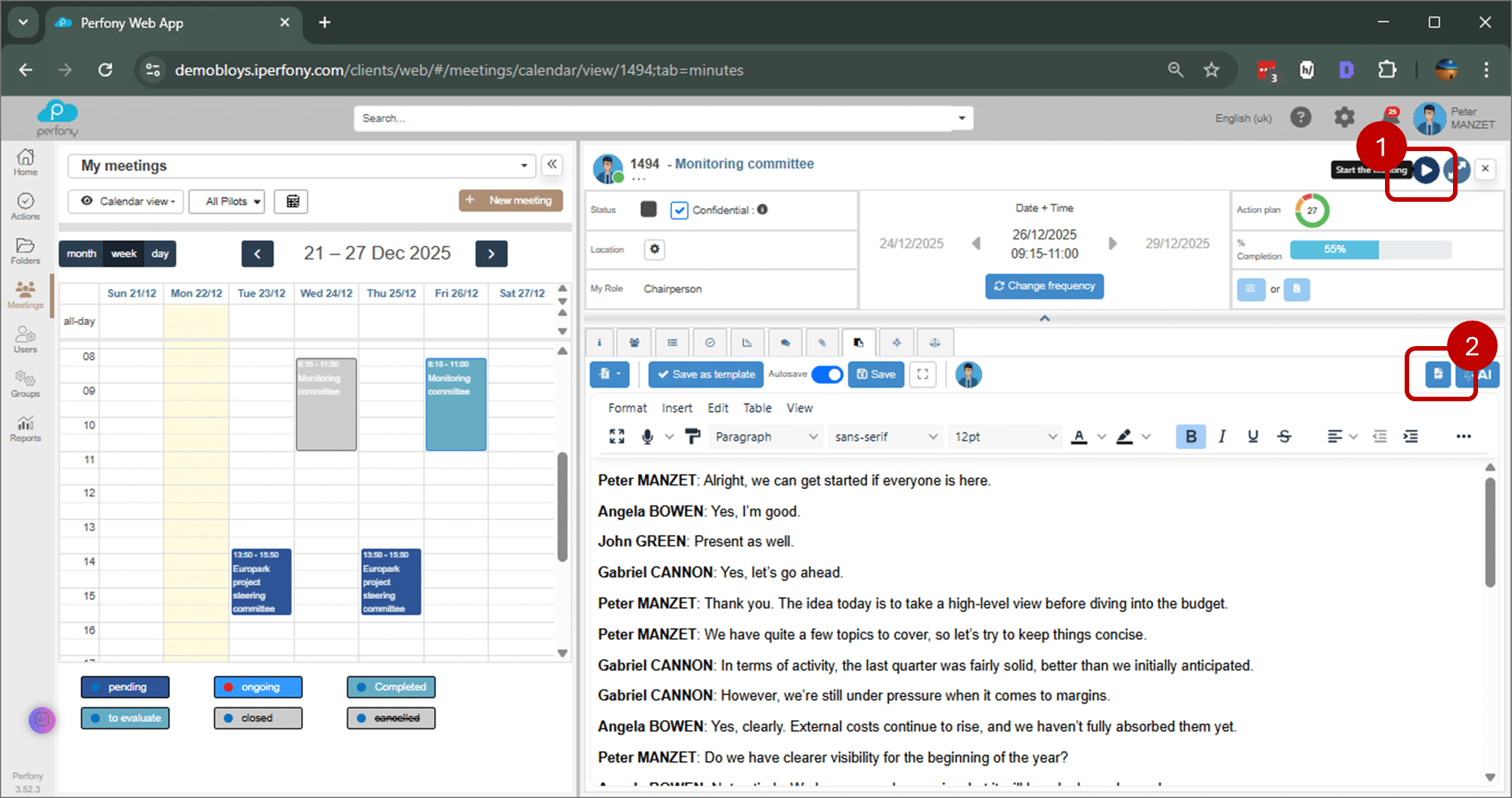
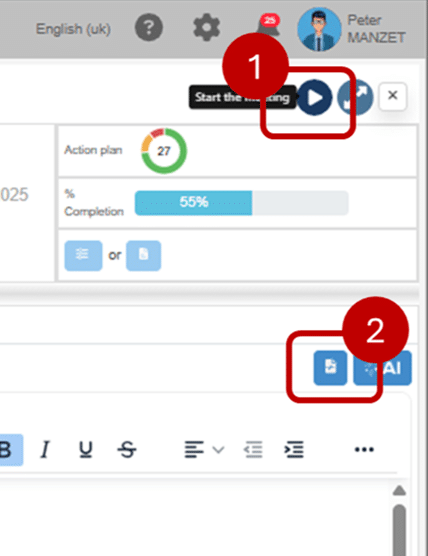
Steps in automatic meeting transcription
1) Activate automatic transcription
Start the meeting in Perfony. Then, in the meeting minutes tab, activate automatic transcription (1). Perfony will immediately start capturing the audio.
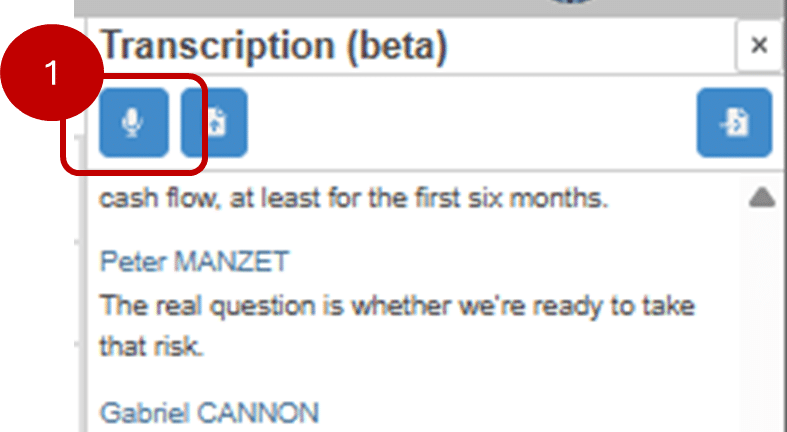
2) Convert audio to text
Artificial intelligence continuously analyzes the audio stream and converts interventions into text, without manual intervention. The transcription becomes visible in real time in the dedicated interface.
Note: During the meeting, you can also switch tabs to view other items or even another meeting. The transcript tab remains active and continues to record exchanges, even when you navigate elsewhere in Perfony or manipulate the meeting.
3) Allocation of speakers
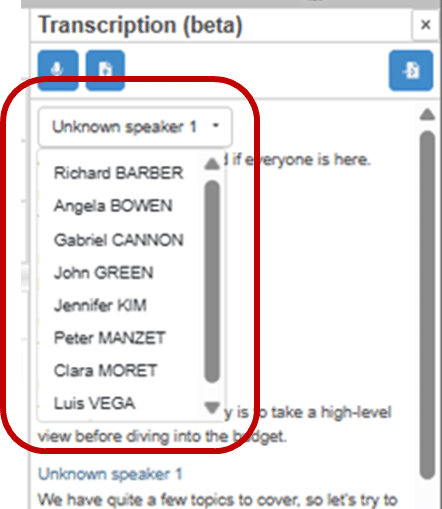
At startup, each voice is displayed as Speaker 1, Speaker 2, Speaker 3, etc.
You can then click on these labels to access the list of participants and associate them with the right person. This feature improves legibility and makes it easier to identify each speaker.
4) Automatic transcription processing
At the end of the meeting, you can click on the microphone again to mute the transcript. To use it in the minutes , click on the icon that lets you copy the transcript into the minutes (1).
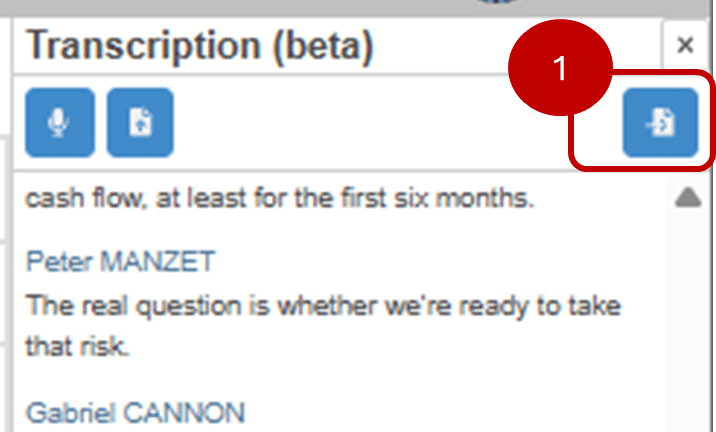
The transcript is then integrated directly into the meeting minutes, where it can be re-read, completed or summarized. Once copied, the transcript can be used to :
-
enrich the report,
-
feed the automatic synthesis (RIDA),
-
identify and create the decisions and actions to follow.
Import a file to generate a transcript
Automatic transcription can also be generated from existing files, without having to launch a live meeting in Perfony.
Two formats are supported:
-
VTT file: subtitle format, usually from Microsoft Teams
-
MP4 file: video file containing the audio track of the meeting
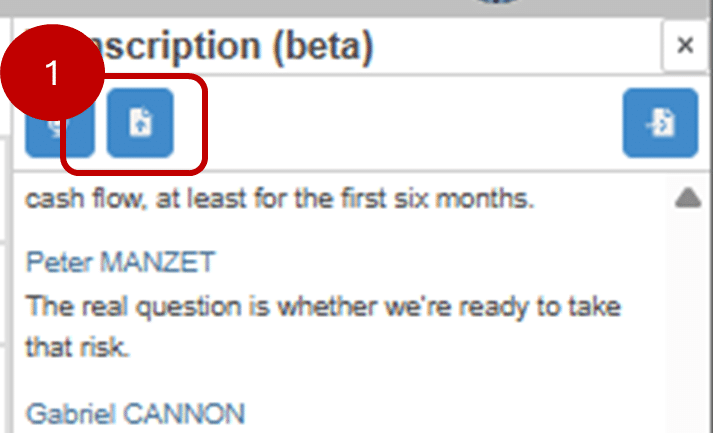
In both cases, Perfony analyzes the content of the file to convert the audio into text and automatically generate a usable transcript.
Importing a file allows you to :
-
transcribe a meeting already held,
-
operate a Teams recording,
-
generate a report from an existing video.
Once the file has been imported, the transcript is treated in the same way as a transcript from a live meeting: it can be copied into the minutes, used for automatic synthesis, and used to identify decisions and actions.
Best practices
-
Use a central microphone or good quality audio equipment
-
When several participants are speaking, announce their name or role before each contribution.
Summary
In short, automatic meeting transcription transforms the spoken word into structured text. It reduces the time spent taking minutes, and makes it easier to identify decisions and actions. It is therefore a key step in the process of steering and monitoring meetings in Perfony.
Category: Meetings & AI
Subcategory: Transcription
Tags: RIDA, AI, Minutes, Productivity, Automation
To find out more, read the articles dedicated to automated synthesis in Perfony or onexploiting identified decisions and actions, which detail how to set up and use them in your meeting reports.